Game-inspired pages, original art
Kids who spend hours building, exploring and leveling up often want to draw the worlds they play in. Every page in this category is an original ColorTheDay design inspired by popular games rather than official game art, so kids get familiar-feeling scenes with room to add their own ideas.
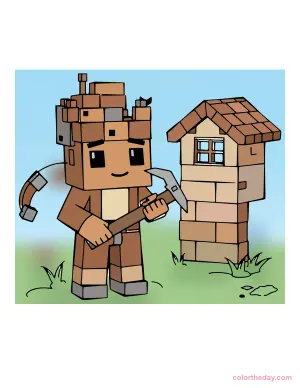
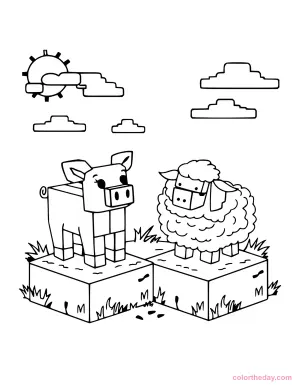
Our Minecraft-inspired coloring pages bring the block-building look to paper: a cube-headed hero holding a pickaxe beside a little block house, and a boxy pig and fluffy sheep standing on grass blocks under a blocky sun. More game-inspired collections are added regularly.
Why game art is great for coloring
Games are built from simple, repeated shapes, and that makes them great coloring material. Block and pixel art turns a picture into a grid of small areas, so kids can finish it one square at a time. A big page feels manageable, careful coloring gets real practice, and kids who don’t usually reach for crayons have a reason to start.
Coloring is also a handy wind-down activity. Offering a game-themed page after playtime lets kids keep thinking about the world they love while their eyes and hands slow down.
Which page for which age?
| Level | What to expect | Best for |
|---|---|---|
| Easy | Big blocks, simple animals and objects | Ages 3-5 |
| Medium | A character plus buildings or scenery, with lots of small squares | Ages 6 and up |
Coloring tips for block and pixel art
- Use a small palette. Early game characters were often drawn with only three or four colors. Pick two or three shades for each material, such as light, mid and dark green for grass, and stick to them.
- Mix shades square by square. Alternating shades across a block gives it texture, like a real game surface. Leave a few squares lighter to suggest highlights.
- Choose a light source. Decide the sun is in the top-left corner. Color the top and left faces of each block lighter and the bottom and right faces darker for an instant 3D look.
- Keep edges crisp. Colored pencils and fine-tip markers stay inside small squares better than crayons. Color the outer edge of each square first, then fill the middle.
- Invent new blocks. Kids can design their own materials, like lava, ice or candy, by choosing colors and a pattern and repeating them across a wall or floor.
Classroom and home activities
- Pixel art on graph paper. After coloring, hand out squared paper and challenge kids to draw a character or animal inside a 16 × 16 grid, the way game artists plan small sprites.
- Coordinates game. Label the rows of a grid with letters and the columns with numbers. Call out squares (“B4, green!”) and kids color them in to reveal a hidden picture.
- Design a level. Kids draw a simple map with a start, a goal, three obstacles and a hidden treasure, then explain the rules to a friend. It’s early storytelling and logic in one.
- Write the build steps. Have kids write step-by-step directions for building the house on their page, block by block. It’s a gentle introduction to the sequencing used in coding.
- Party table. At a gaming birthday, put printed pages and colored pencils out for a calm activity between rounds of games.
More themes to explore
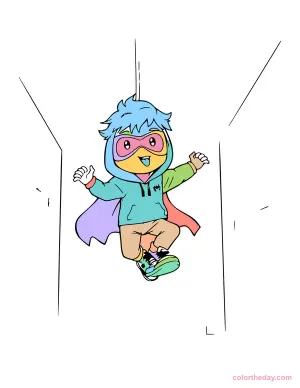
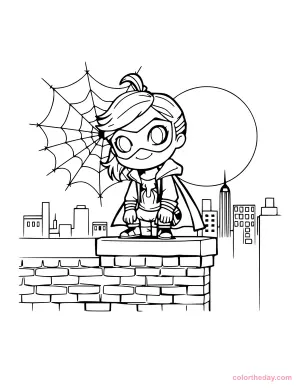
Love the boxy pig and sheep? Our animal coloring pages have animals drawn in a classic cartoon style instead of blocks. And for capes, masks and city skylines, try our superhero coloring pages.
Printing tips
- Print at 100% or “Fit to page.” The PDFs are sized for US Letter and also print neatly on A4.
- Print in black and white. The pages are pure line art, so you won’t use any color ink.
- Use heavier paper (24-32 lb or light cardstock) for markers.
- Download a whole collection with its “Download all pages” button for a quick screen-free activity pack.